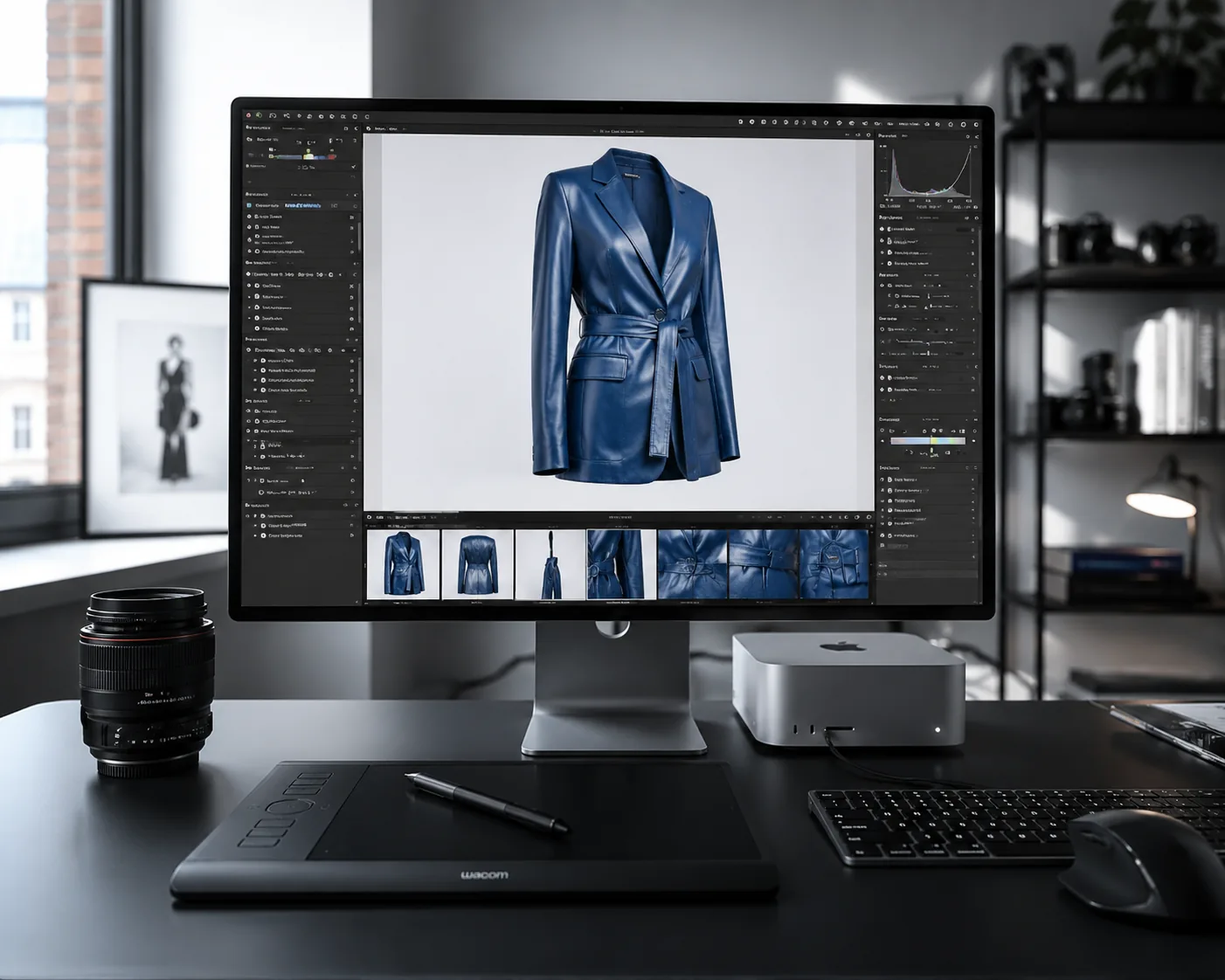
AI Clothing Clipping Path
Invisible-mannequin clothing photos with no photo shoot required
I create professional invisible-mannequin clothing photos from your existing shots. You no longer need to rent a studio, ship items anywhere, or organize a full photo shoot.
What is a clipping path photo?
A clipping path (invisible-mannequin) photo shows clothing on an invisible mannequin, a hanger, or laid flat, prepared for online stores, marketplaces, brand catalogs and stylist mailers.
During retouching, the mannequin, folds, threads and all technical traces of the shoot are removed — leaving just the item itself, full and "alive."
These photos are the standard for product cards on brand websites. They're used alongside catalog photos where a model wears the item, or sometimes — if a brand wants to save money — as the only product shot, with no model photography at all.
Examples of AI generation from model shoots
See how the original fit of an item transforms into a perfect product card.
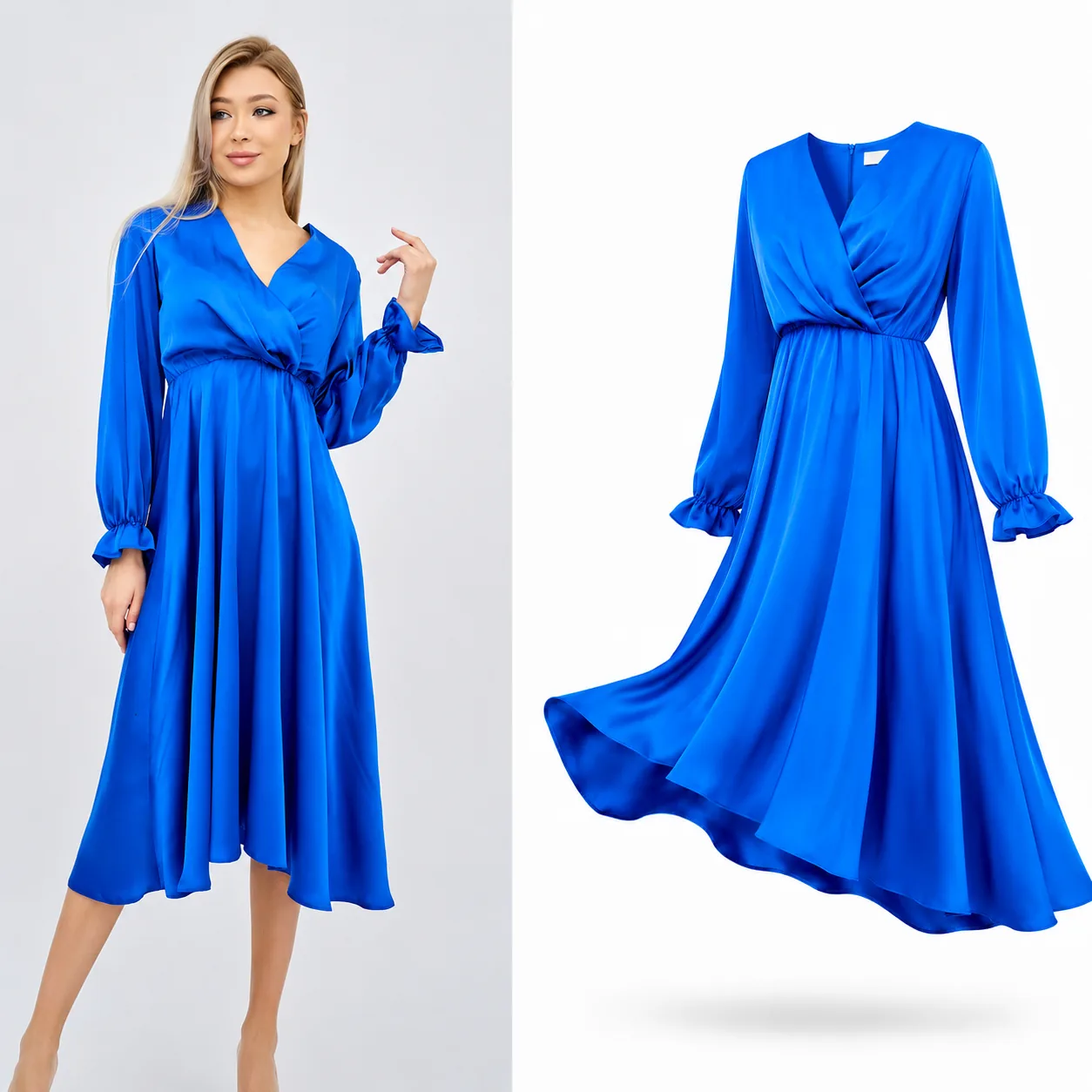
👗 Voluminous "floating" dress
An example of creating a dynamic shot. During AI processing we remove the model but fully preserve the flowing hem, the airiness of the fabric and the natural deep folds. The item looks three-dimensional and "alive."
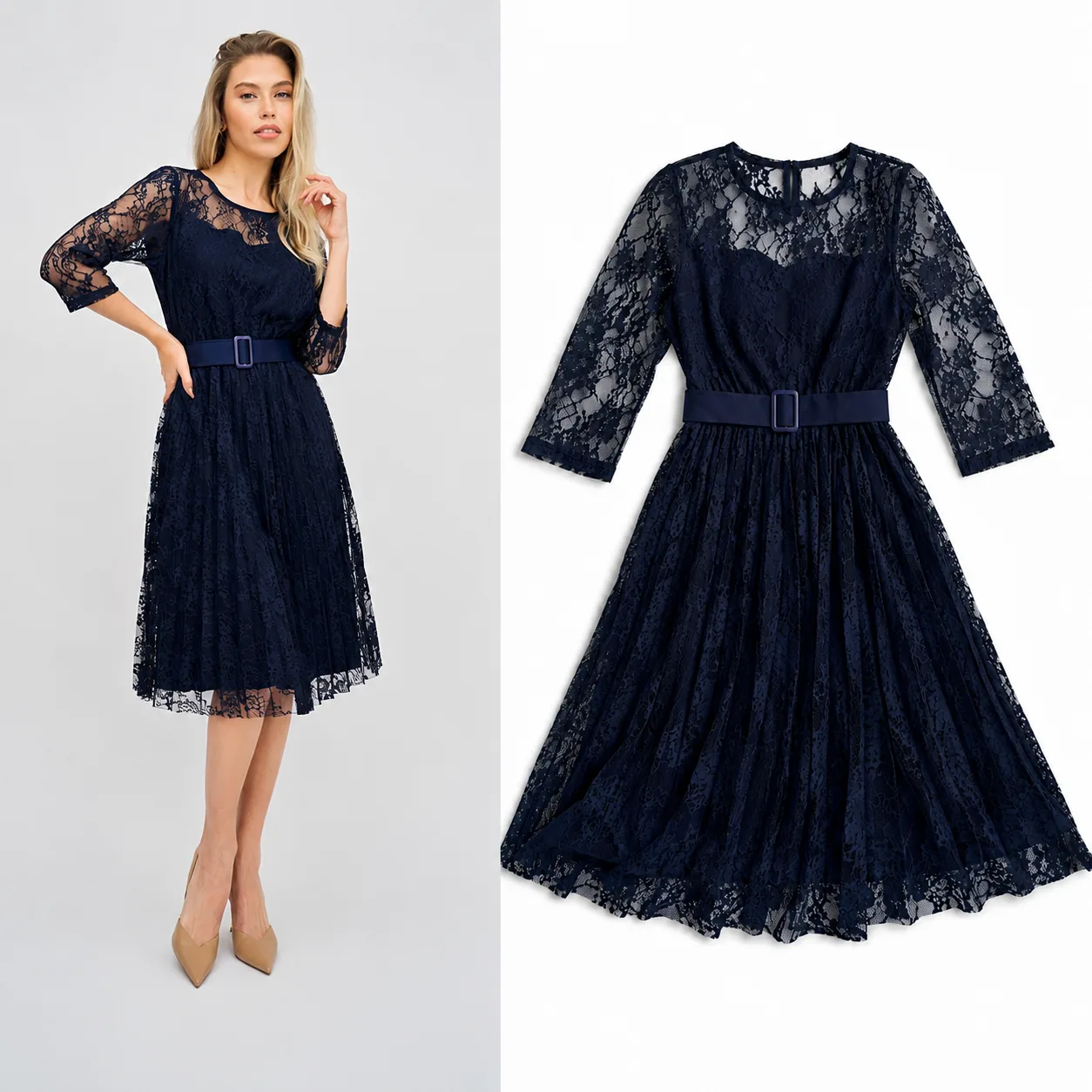
✨ Complex textures and lace
Working with guipure and openwork fabrics requires large, sharp details in the source photo. When the lace texture and pattern read clearly in the shot, the AI carries the complex semi-transparent structure over into the clipped photo, preserving perfect geometry and a premium product look.
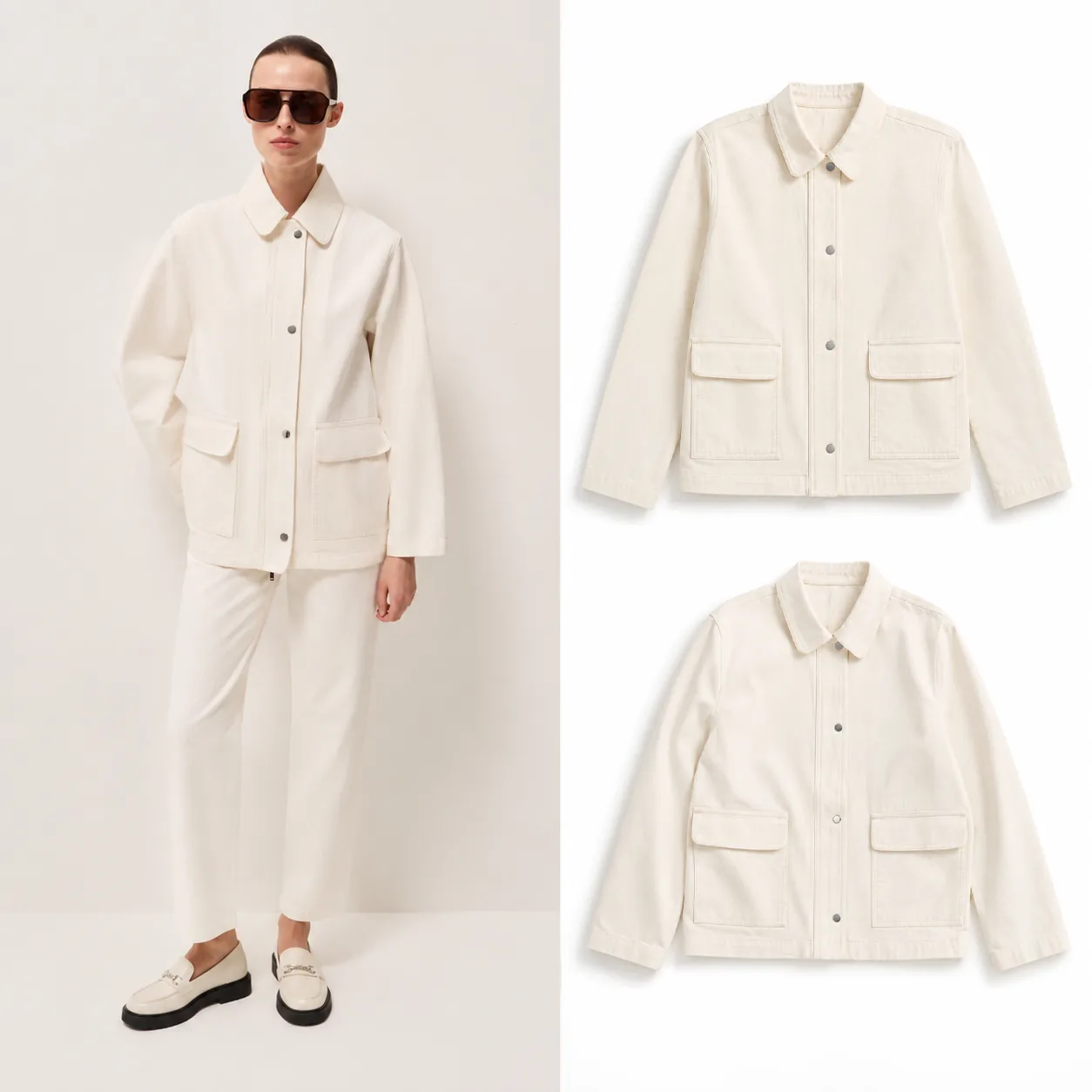
🧥 Controlling folds and volume
This lets us flexibly work with an item's texture: make the folds stronger and more expressive for a natural, dynamic look, or, conversely, remove them entirely for a strict, minimalist catalog. The final look of the card fully depends on your preferences and brand guidelines.
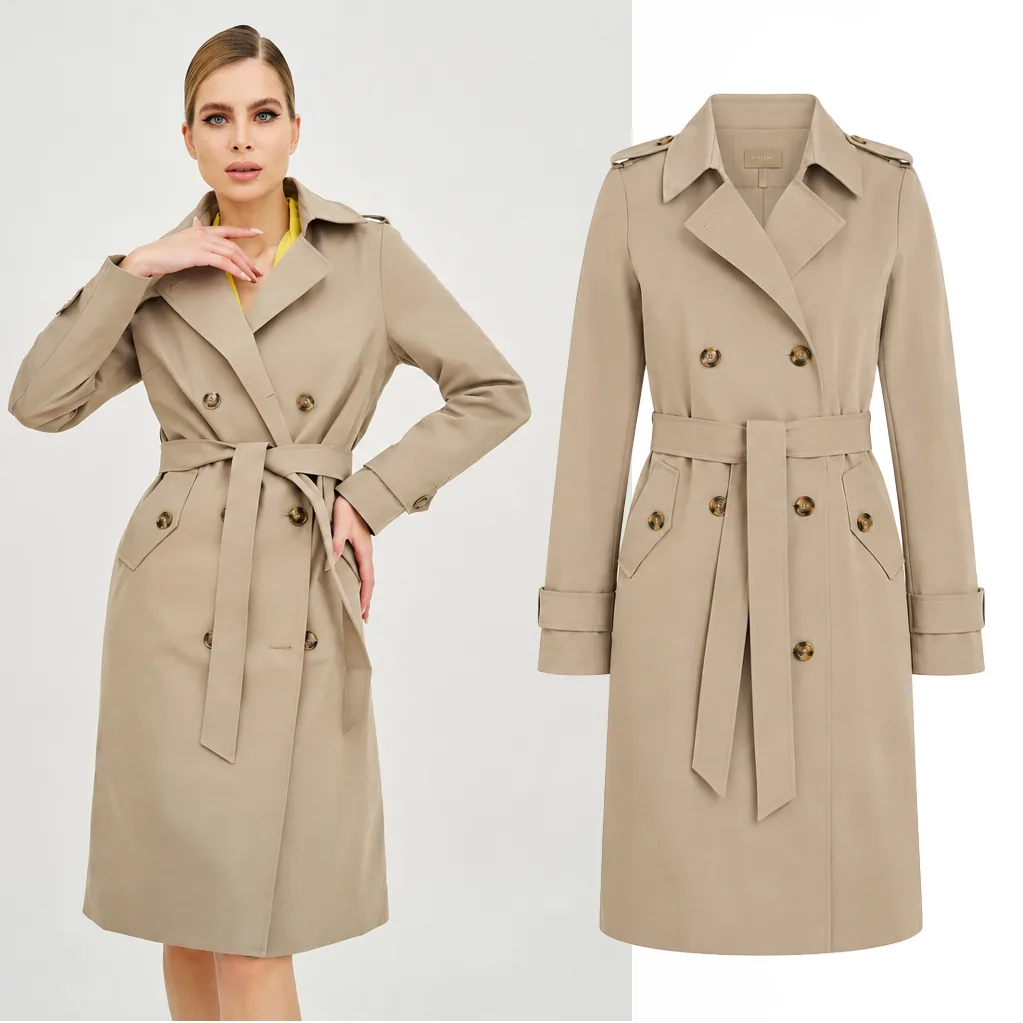
🧥 Perfect geometry for outerwear
An example of working with a complex cut, collars and belts. The AI carefully builds out the inner structure of the item, removing the person's figure while preserving crisp seams and material density.
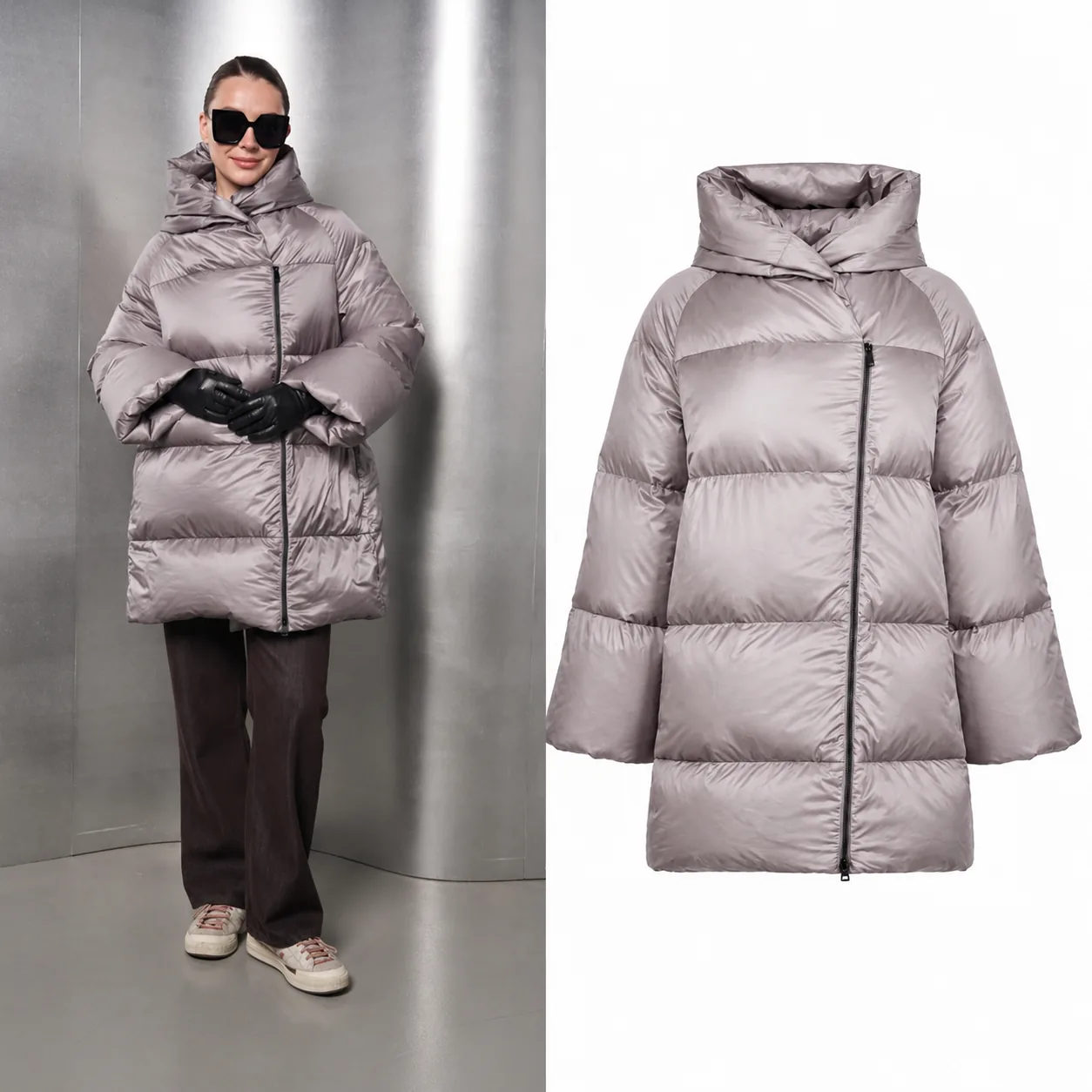
❄️ Working with bulky winter clothing
For puffer jackets, the most important thing is conveying real volume and airiness. The AI preserves the correct shape of the padding and material density, so the finished clipped photo looks just as warm and voluminous as it does on a model.
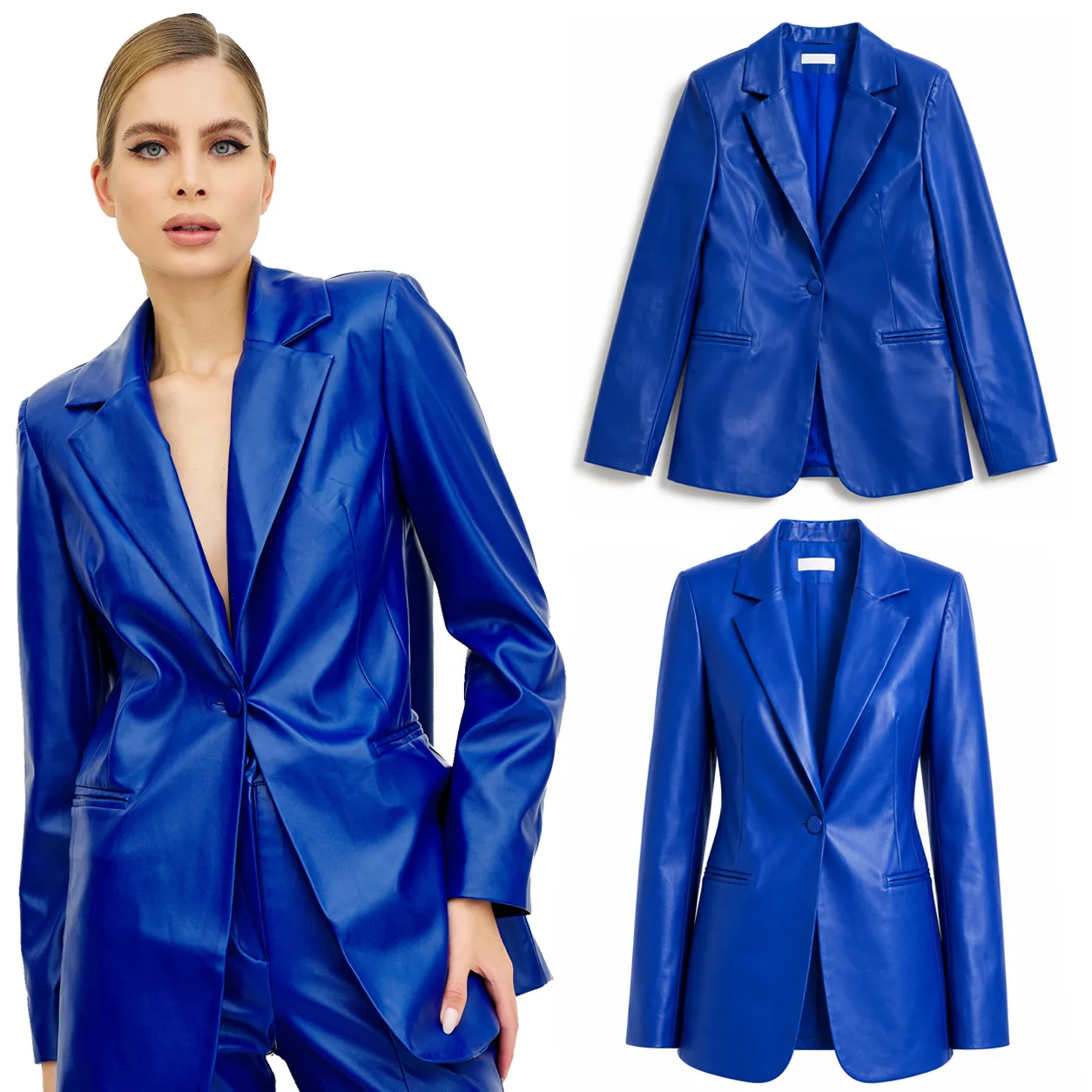
💎 Complex textures and delicate materials
A perfect solution for eco-leather, vinyl or other materials that can't or are very hard to steam on set. The AI completely removes creases and technical wrinkles, delivering an impeccably smooth clipped photo while preserving the material's refined matte sheen.
More clipping path examples
On the left — the source shot on a model, on the right — the finished product card after AI processing
AI flexibility: from a flat hanger to a voluminous silhouette
The same source photo of a model can be turned into completely different clipping formats to match your brand guidelines.
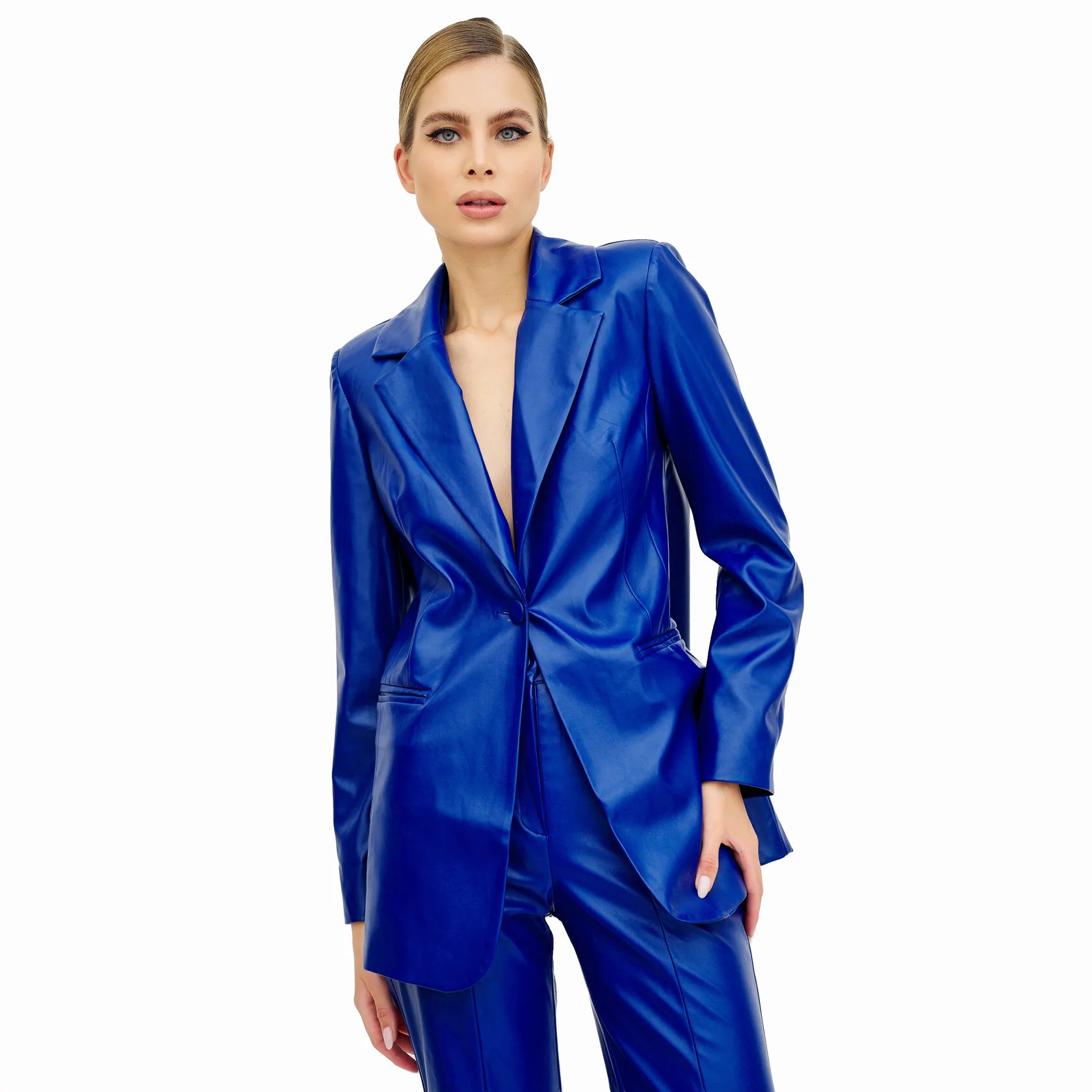
📸 1. Source shot
A technical or catalog photo on a model. The key is that the AI can read the correct fit at the shoulders, the leather texture and the silhouette.
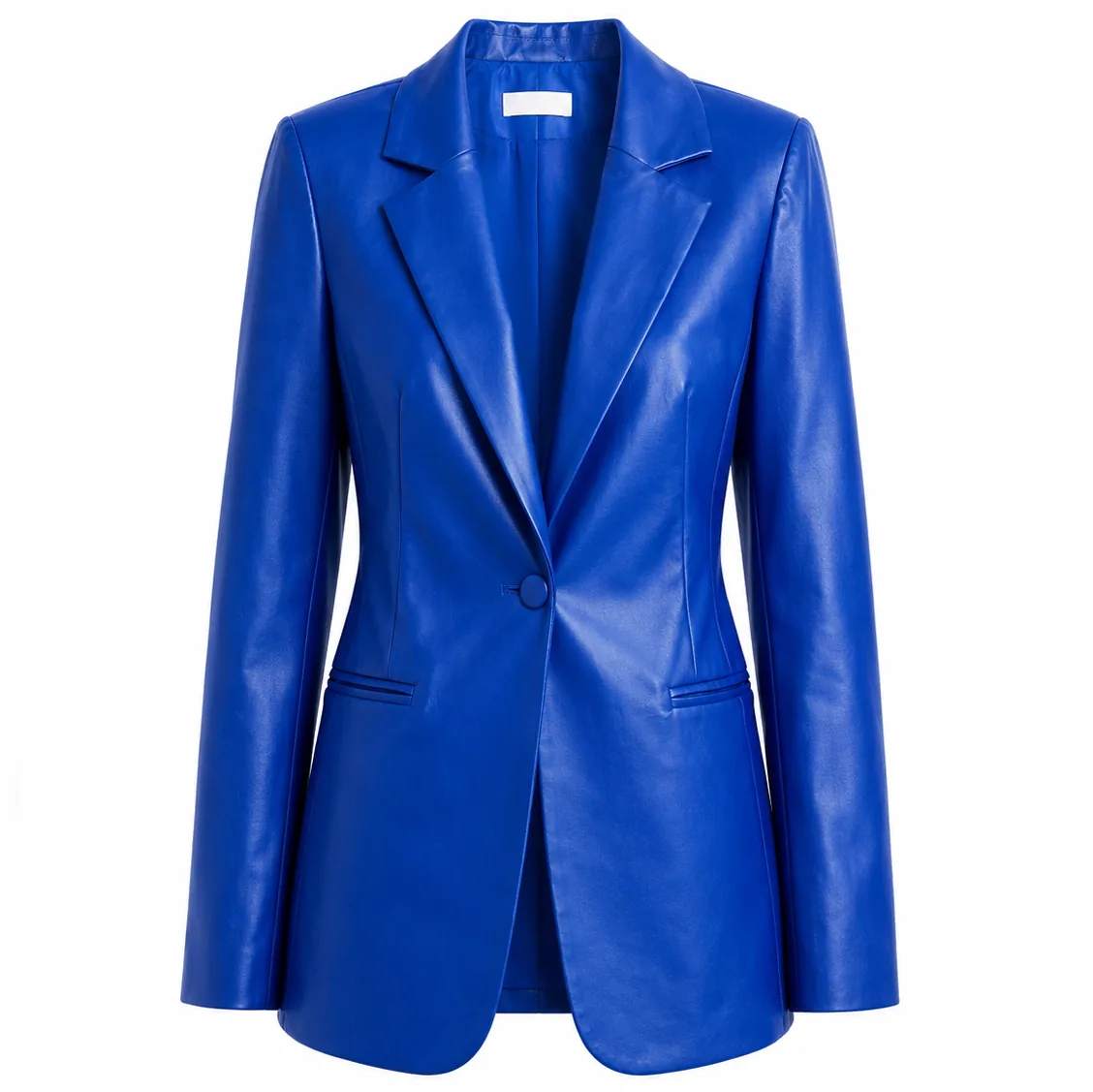
👕 2. "On a hanger" format
A stricter, flatter flat-lay style with a soft natural shadow. A great minimalist standard for websites.
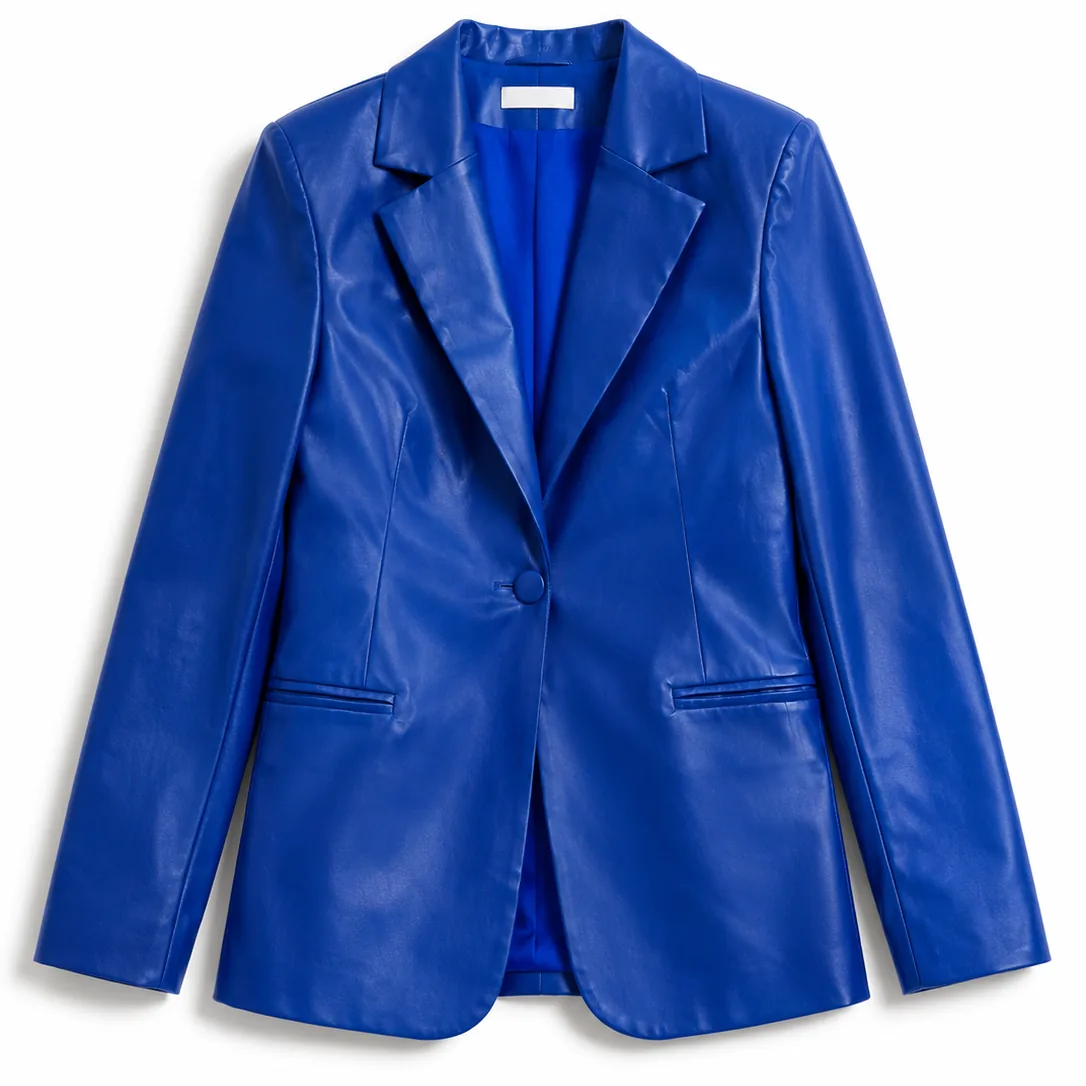
🕴️ 3. Voluminous silhouette
Maximum volume on an invisible mannequin. The AI emphasizes the jacket's tailored cut, creating the feel of expensive studio padding.
A new way to get clipping path photos without a photo shoot
In the past, getting a single shot of a coat or dress on an invisible mannequin meant paying for a whole chain of expenses:
🏢 Studio
Renting a professional photo studio and equipment.
👥 Team
An assistant's work preparing and carefully steaming the items.
📐 Set design
A set designer's services for proper styling and padding of the items.
🖥️ Retouching
The photographer's fee and complex, expensive manual mannequin retouching.
Today this process can be greatly simplified. If you already have quality photos of the item, I'll create professional clipping path photos using artificial intelligence. This lets you skip organizing a shoot, cut costs and get finished images much faster.
How the process works
You send photos of the item
Just send over whatever shots of the items you currently have.
We settle on a format and review the source photos
At this stage we decide exactly which style of clipping you want, since they can vary a lot: on a mannequin or a hanger, with or without a shadow, flatter or maximally voluminous.
Creating the AI clipping path
The neural network generates a clean base shot from your item.
Review and manual fine-tuning
AI speeds up the work, but the final quality control is always done by a person with years of experience in product photography and retouching. Every image is finished by hand to a polished result.
You receive the finished content
The files are fully ready to upload to your brand's website, online store or marketplace.
What's needed for a perfect result?
🧵 Texture and detail
For an AI clipping path to look premium and realistic, the neural network needs to clearly "see" the item. The photos should clearly show fabric texture, patterns, prints, embroidery, seams, hardware and cut details.
🎨 Color accuracy and light
This is an eternal pain point even in classic photography: everyone's monitor and phone is different, and colors shift everywhere. For the AI to correctly understand and reproduce the item's real color, the source photos need to be shot with correct white balance, without heavy distortion or stray color casts from walls or lamps.
🕴️ Fit on the body
Photos of the item worn on a person (a plain technical shot from the back or without the face is fine) really help achieve a perfect result. From such a shot, the AI instantly reads the real proportions, length and shape of the item, allowing it to render an accurate silhouette and natural fit in the finished clipped photo.
⚠️ When might AI not be the right fit?
Artificial intelligence makes life much easier, but it's not suited for every task.
In certain difficult cases — a very intricate cut, semi-transparent fabrics, lots of small decorative details, or simply blurry source photos — the result may fall short of ideal.
That's exactly why, before starting any work, I always evaluate your source photos for free and tell you honestly whether a great AI clipping path is achievable. If the task isn't a fit for neural networks, I'll simply offer you a classic photo shoot instead. That's the honest and correct thing to do.
📸 Already have photos?
Send them to me however is convenient. I'll evaluate whether they're suitable for free and suggest options.
🚫 Don't have suitable photos?
Not a problem at all. You can order a catalog photo shoot from me. We'll build a perfect base to create flawless clipping path photos from.
Why is this good for brands?
🏠 Your items stay with you
No shipping and courier costs, no complex collection packaging, and no extra hassle sending things to a studio.
📉 Significantly lower cost
There's no expense for renting professional studio space or paying a team. You only pay for the finished shot.
⚡ High speed
Classic production with manual mannequin removal can take up to 7 days. Creating AI clipping paths takes just 1 to 3 business days.
🤝 Strict manual control
To me, AI is simply a smart tool for automating routine work. I personally finish and check every photo by hand.
Prefer a classic photo shoot?
If your brand's concept or guidelines call for traditional invisible-mannequin clothing photography in a studio — no problem, we'll do it at the highest level.
I've been professionally shooting clipping path photography since 2017 and manage the entire production cycle end-to-end: from proper padding and steaming to the most demanding layered manual retouching.
See the classic clipping path portfolio →Shooting experience since 2017
I know inside and out the strict technical requirements online stores, premium catalogs and top marketplaces have for how cut and color are displayed.
Why clients trust me
I've been in professional clothing photography since 2017. Over that time I've worked with dozens of Russian brands. When creating AI clipping paths, what matters to me isn't the fact of generation itself, but how closely the image matches the real item. I carefully check every shot by hand.
Complete confidentiality
Photos of your items are used strictly to complete your order. Variants and source files are never used to train public AI models, are never published without your knowledge, and are never shared with third parties. Everything stays confidential until your collection launches.
Cost, timelines and common questions
The average turnaround is 1 to 3 business days. Pricing is calculated individually.
Do I need a professional photo shoot?
Not necessarily — phone photos work too. What matters most is that they're sharp, with good even lighting and detail. Important note: if the shots are taken on a phone in poor or dim lighting, image quality will inevitably suffer, and in that case I can't guarantee a perfect result on the clipped photo. Please keep this in mind when sending source photos. If you don't have a suitable base, we can always do a proper shoot from scratch.
How is an AI clipping path different from a classic one?
For the end customer on the website — not at all. They see the same voluminous, neat item on an invisible mannequin. The difference is only in budget and speed: you don't need to pay for studio rental and a team, so the price is lower and the turnaround is faster.
Can you process a large clothing collection?
Yes, absolutely. This service really shines at scale. The more items in your batch, the more real budget savings you'll feel compared to classic studio production.
Let's discuss your project
Message me to get a free evaluation of your source photos, a price quote for your volume, or to book a classic studio shoot.